Hipcamp: Camping, RVs & Cabins
- 4.8
- Rating
- 1.00M
- Installs
- Free
- Price

 Analysis by App-foxy
Finding a place to camp sounds simple until the usual search turns into a long list of public campgrounds, outdated pages, unclear rules, and locations that look close on a map but are awkward to reach. I tested Hipcamp as a travel and local app with a more specific purpose: helping people discover and book private campsites, campgrounds, and RV resorts. My overall impression is that it is most useful when you want more choice than a standard campground directory offers, but it rewards a careful booking routine.
Hipcamp is free and developed by Hipcamp, Inc. It is rated for Everyone, works on Android versions starting with 7.0, and its current version is 4.15.0. The app has built a strong audience, with an average rating of 4.8 from around 14,000 ratings and more than a million installs. Those figures suggest that it has become a familiar tool for campers, but they do not remove the need to check each individual listing closely.
Finding the right stay without getting stuck
The first thing I noticed is that the app changes the way I think about camping searches. Instead of beginning with a familiar public campground system, I can look for stays on private land, traditional campgrounds, and RV-focused properties in the same general travel-planning space. That makes it appealing when public sites are full, when I want a quieter setting, or when I am looking for a type of stay that does not fit neatly into a national or regional campground directory.
You May Also Like

 Blood Strike: 2.5 Anniversary
Blood Strike’s Loadouts Turn Every Drop Into a Tactical Gamble
A close look at Blood Strike’s custom loadouts: how fast access to signature weapons reshapes its battle royale rhythm, rewards preparation, and narrows the gap between fights.

 Pandora - Music & Podcasts
Pandora’s Music Is Easy to Start, but Harder to Recover
Pandora’s strength is its low-effort path from a seed to a station. Its weak spot is how much confidence it asks you to place in connection, setup, and quiet recovery.

 8 Ball Pool
 Is Built on Rivalries, Rematches, and Routine
A close look at the rivalries, rematches, shared routines, and unanswered safety questions that turn a quick pool match into a persistent mobile community.

 Samsung Music
’s Quiet Strength Is Playing What You Already Own
Its reach comes less from spectacle than from dependable access to a personal library. That simplicity is both the app’s strongest retention engine and its ceiling.

 AccuWeather: Weather Radar
AccuWeather Review: A Quick, Clear Forecast for Everyday Decisions
For everyday plans, the best forecast is the one you can understand quickly. AccuWeather makes rain timing, radar, and local conditions easy to act on, with a few trade-offs.

 Hill Climb Racing
Why Hill Climb Racing Still Turns Crashes Into One More Run
A tiny car, a bumpy hill and one more upgrade: Hill Climb Racing keeps resurfacing because its simple chaos makes every near-miss feel personal.
More From Our News Desk



The main friction comes from having many different kinds of places together. A listing that works beautifully for a tent may be a poor match for a large vehicle. A scenic property may be comfortable for a short overnight stop but inconvenient for a family carrying cooking gear, water, and bedding. I do not treat a promising photograph as proof that the site suits my trip. I read the description, inspect the available details, and compare the location with my actual route before deciding.
That distinction matters because “camping” can mean very different things. Some travelers want a simple place to sleep outdoors, while others need dependable access for an RV, enough room to turn around, or a setting where children can move around safely. I use the app as a discovery tool first and a booking tool second. That small change in attitude prevents me from committing to the first attractive result.
For a realistic weekend example, imagine leaving after work on Friday and driving toward a rural area. I would search near the destination rather than only at the exact destination, then compare the arrival route, the type of accommodation, and the property information. If one listing requires a long final drive on roads I would rather not use at night, I would favor a less dramatic but more practical option. Hipcamp helps expose alternatives, but I still make the final judgment.
What I check before choosing a listing
I pay particular attention to the difference between the property name and the actual sleeping arrangement. A cabin, tent site, RV space, and general campground listing create very different expectations. Before booking, I look for clues about what I am bringing, what the site appears to provide, and whether the arrangement matches the people traveling with me.
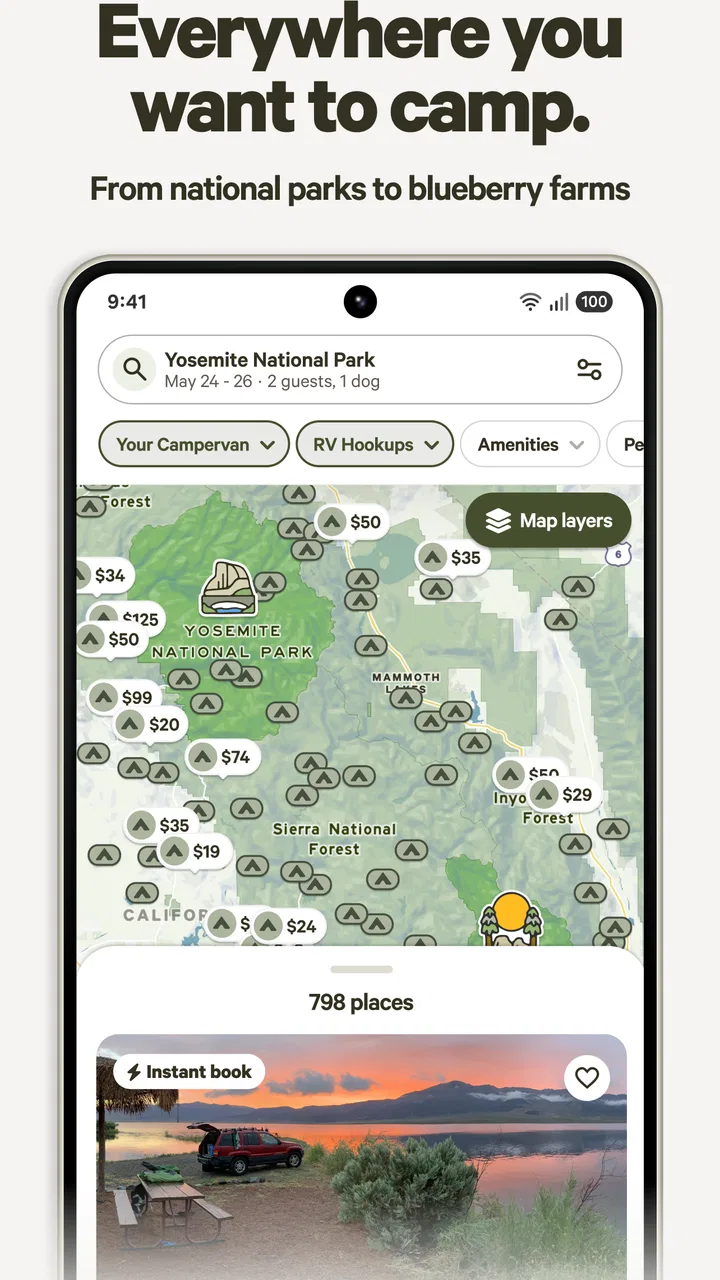
I also compare the map position with the written directions. A pin can be useful for planning, but a rural address may involve a final turn that is easy to miss or a road that feels very different from the main route. I save the important details before leaving, especially if I expect weak mobile service. I do not assume that navigation will remain effortless once I leave a major road.
One of my more useful habits is to search twice: once for the broad destination and again for nearby areas along the route. This can reveal alternatives that are more convenient than a site directly beside the attraction I originally had in mind. The trade-off is that the broader search produces more decisions, so I narrow the list using travel time, accommodation type, and the practical needs of my group rather than scenery alone.
Reviews are another part of my decision process, but I read them for patterns instead of isolated complaints. If several guests mention the same difficulty with arrival, road access, or the fit between the description and the experience, I treat that as more important than one enthusiastic comment. The app’s overall rating is encouraging, yet a high platform-wide average cannot tell me whether one particular property suits my vehicle or comfort level.
Setup checks that save time later
Getting started is straightforward because the app is free, but a smooth first session depends on doing a little preparation. I make sure the app is installed on a supported device and allow myself enough time to explore before I am trying to book from a roadside stop. Searching while tired, rushed, or dealing with poor reception is exactly when small misunderstandings become expensive.
I begin with a destination that is specific enough to be useful but not so narrow that I hide sensible nearby options. Then I open several listings and compare them in the same session. This is better than opening one result, becoming attached to it, and overlooking details that would have been obvious beside another property.
Before confirming a stay, I check the dates, the number of guests, the accommodation type, and the arrival plan as a single checklist. I also review the property information again immediately before booking. This catches a common human error: finding a site that looks right, then accidentally carrying the assumptions from a different listing into the final decision.
My most important setup tip is to separate discovery from commitment. I use the map and listings to build a shortlist, then I verify the selected property from its own page. That workflow is slower by a few minutes but much safer than treating the first search result as a complete answer.
For group trips, I share the practical details with everyone before paying or finalizing the reservation. A friend may be comfortable with a basic tent site while another person expects a cabin or an RV-friendly arrangement. Discussing this early avoids the awkward situation where the booking is technically correct but unsuitable for one member of the group.
Recovering when a search or booking feels wrong
When the app does not behave as expected, I first identify whether the problem is with the search, the listing, or the device. If results seem irrelevant, I broaden or adjust the destination rather than repeatedly refreshing the same search. A slightly different place name or a wider area can produce a more useful set of options.
If a listing page seems confusing, I go back to the search and open it again instead of relying on a half-loaded impression. I recheck the dates and the selected accommodation type. Many apparent app problems are actually selection mistakes made while moving quickly through several possibilities.
When a booking flow stalls, I avoid tapping the final action repeatedly. I check whether the reservation appears to have completed, review any confirmation information available in the app, and only then try again. Repeated taps can create uncertainty about whether I have made one request or several. A calm pause is more useful than treating every delay as a failed transaction.
I also keep a simple offline note with the property name, arrival details, dates, and the people traveling. This is not a replacement for the app; it is a backup for the part of the journey when reception becomes unreliable. It also makes it easier to explain the plan to a travel companion without passing the phone around at the last minute.
If the app closes or becomes unresponsive, I restart it and return to the search rather than assuming that every previous screen is still active. I check the device connection and available storage, then try again in a stable location. These are ordinary troubleshooting steps, but they matter more for a travel app because the user may be standing outside, driving between stops, or working with limited signal.
When the app is not the real problem
Hipcamp can present a place, but it cannot make a rural road easier, change the weather, or turn an unsuitable vehicle into a suitable one. If the map seems to show a short distance, I still consider the full route and the final approach. A site can be geographically close to a destination and practically inconvenient because of road conditions, traffic, or a late arrival.
The same applies to expectations about comfort. A beautiful setting may involve a simpler style of camping than someone in the group expected. I do not blame the app when a traveler fails to distinguish between a place to pitch a tent and a furnished stay. The responsibility is shared: the listing should be read carefully, and the traveler should choose according to real needs rather than an appealing image.
Connectivity is another separate issue. If I lose service after leaving town, that does not necessarily indicate a fault with the application. I prepare for that possibility before departure by reviewing the reservation and route while connected. I also avoid making the app my only source of essential travel information.
There is a similar distinction with host-specific questions. The app helps me find and organize the stay, but a question about a particular property may require attention to the listing’s own information and the appropriate communication path. I do not assume that a general answer about one campsite applies to every other property in the search.
Who will appreciate it, and who may prefer another option?
I think the app is especially good for flexible campers, road trippers, couples seeking unusual overnight locations, and RV travelers who want to compare more than the standard public-campground selection. It is also useful for people who enjoy planning around a region rather than insisting on one exact campground.
It is less suitable for someone who wants a completely standardized experience. If I need identical facilities, predictable layouts, or a booking system limited to one established campground network, a conventional public-land reservation service may feel clearer. Likewise, travelers who dislike comparing property details may find the range of private listings more work than they want.
Compared with a general map application, Hipcamp is more focused on camping-related stays, so I spend less time filtering ordinary hotels and unrelated places. Compared with a traditional campground directory, it can offer a broader and more varied set of possibilities, but that variety means I must evaluate each listing more carefully. I see that as the central trade-off: more discovery in exchange for more personal judgment.
The app is also not a substitute for a full trip planner. I would not use it alone to organize fuel stops, weather decisions, hiking routes, or emergency preparation. Its strength is narrowing the accommodation search and helping me move from “where could I stay?” to “which of these places fits this particular trip?”
My practical verdict after using it
Hipcamp, Inc. has made a useful travel and local app for people who want camping choices beyond the usual shortlist. I like the way it encourages me to search by region, compare different kinds of stays, and consider private properties alongside campgrounds and RV resorts. The free price makes it easy to try, and the Everyone age rating keeps it approachable for a broad audience.
The strongest results come from using it deliberately. I shortlist several places, inspect the details of the exact accommodation, verify the route, and save the information before leaving reliable service. I also treat reviews as clues about recurring practical issues rather than as a substitute for reading the listing itself.
My main reservation is not that the app offers too little, but that its range can demand more attention than a tightly standardized reservation service. The experience depends heavily on choosing the right property and matching it to the people, vehicle, equipment, and arrival plan. If I want that flexibility, the extra checking is worthwhile. If I want a predictable, uniform campground experience with minimal comparison, another category of booking tool may be a better fit.
For campers who are willing to do that small amount of homework, I would recommend giving it a try. It is at its best when used as a thoughtful planning companion: discover broadly, verify narrowly, and prepare for the part of the journey that begins after the map pin.
FAQs for Hipcamp: Camping, RVs & Cabins
01What is Hipcamp and how does it work?
Hipcamp is a platform that connects outdoor enthusiasts with unique camping experiences across the U.S. It offers a wide variety of sites, including traditional campsites, RV spots, and cabins. Users can search for locations, read reviews, and book directly through the app, making it a convenient tool for planning outdoor adventures.
02Is Hipcamp available for both Android and iOS devices?
Yes, Hipcamp is available for both Android and iOS devices. Users can download the app from the Google Play Store for Android or the Apple App Store for iOS. The app provides seamless access to a variety of camping options and features designed to enhance the user experience on both platforms.
03What types of accommodations can I find on Hipcamp?
Hipcamp offers a diverse range of accommodations to suit different preferences. Users can find traditional campsites, RV spots, glamping tents, and cabins. The platform also features unique stays like treehouses and yurts, providing options for all types of outdoor adventures, from rustic to luxurious.
04How reliable are the reviews and ratings on Hipcamp?
Reviews and ratings on Hipcamp are provided by real users who have experienced the locations firsthand. This user-generated content helps maintain a high level of reliability and trust. Potential campers can read detailed reviews and view photos to make informed decisions about where to stay.
05Are there any fees associated with using Hipcamp?
While browsing and exploring options on Hipcamp is free, booking a site may involve fees. The cost can vary based on the location, type of accommodation, and additional services offered. Hipcamp may also charge a small service fee, which is transparently displayed during the booking process.
Pros
- Wide range of campsite options.
- User-friendly interface.
- Real-time availability updates.
- Extensive community reviews.
- Easy booking process.
Cons
- Limited offline access.
- Some areas lack listings.
- Occasional app crashes.
- Not all features are free.
- Location accuracy issues.

Hipcamp: Camping, RVs & Cabins
Gallery